How to Unblock YouTube: Fast and Reliable Methods for 2026
Whether it is a strict network filter or a video not available in your country, being blocked from YouTube is a major frustration. The good news? Digital filters are usually just fences, not brick walls.
Opinions expressed by Entrepreneur contributors are their own.
You're reading Entrepreneur India, an international franchise of Entrepreneur Media.
If you are staring at a “Site Blocked” screen at school or work, you aren’t alone. Whether it is a strict network filter or a video not available in your country, being blocked from YouTube is a major frustration.
The good news? Digital filters are usually just fences, not brick walls. Here is exactly how to unblock YouTube using fast, safe, and easy methods.
Quick Fixes: No Installation Required
If you are using a computer where you cannot download software, like a school Chromebook or a shared workstation, these browser-based tricks are your best starting point.
The Google Translate Proxy
This is a classic for a reason. Google Translate can act as a “middleman” that network filters often ignore.
- Go to Google Translate.
- Select the Websites tab at the top.
- Type www.youtube.com into the URL box.
- Click the blue arrow. Google will load YouTube inside its own interface, often bypassing local blocks.
The “Embed” URL Hack
Sometimes, a filter only blocks the main YouTube “watch” page. You can often bypass this by slightly modifying the link:
- Original Link: youtube.com/watch?v=VIDEO_ID
- Unblocked Link: youtube.com/embed/VIDEO_ID
By switching to the “embed” version, the video may load in full-screen without the blocked sidebar elements.
Using Web Proxies for Instant Access
A web proxy is a site that fetches YouTube content for you. To the network admin, it looks like you are visiting the proxy site rather than YouTube itself.
Top Rated Free Proxies for 2026:
- CroxyProxy: Optimized specifically for video streaming and high stability.
- ProxySite: Offers multiple server locations across the US and Europe.
- Hide.me: Known for better privacy and fewer intrusive ads.
Note: While proxies are great for a quick fix, they are rarely encrypted. Avoid logging into your personal Google account while using it.
Reliable Solutions: VPNs and Mobile Hotspots
If you want a permanent solution for high-definition streaming, you need to change how your device connects to the internet.
Virtual Private Networks (VPNs)
A VPN is the “gold standard” for unblocking content. It encrypts your entire connection and hides your IP address. It tunnels under local firewalls and allows you to switch countries to bypass regional blocks. Popular choices like NordVPN or Surfshark offer easy, one-click apps.
Mobile Hotspots
If your school or office Wi-Fi is the primary issue, stop using it. Use your smartphone to create a Personal Hotspot. By connecting your laptop to your phone’s data, you bypass the building’s restricted network entirely.
Using a Professional Proxy for Better Performance
If basic workarounds don’t provide the speed you need, especially for 4K video, a premium proxy service becomes the most effective option. Residential proxy IP providers like 9Proxy are designed to deliver stable connections and low latency, making them suitable for research and high-resolution video analysis.
How to Set Up Your Proxy Connection
Once you have a plan, you can route your traffic through a high-speed IP using one of these two simple methods.
Method A: Direct System Configuration
This covers your entire computer’s traffic, which is ideal if you use desktop apps or multiple browsers.
- Select a proxy from the list, then choose Forward to Port and assign it to any available port.
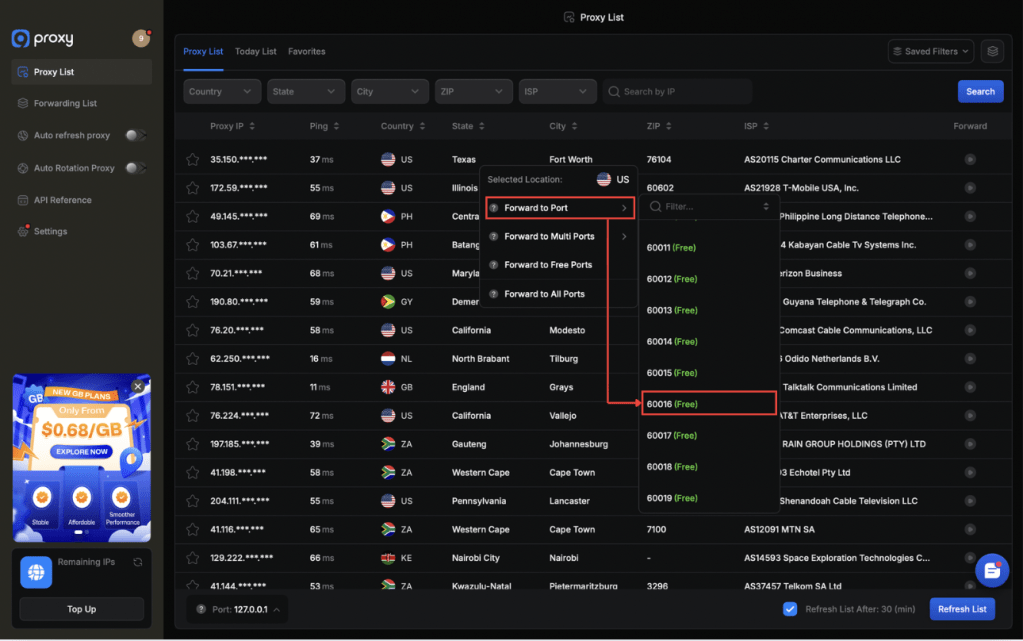
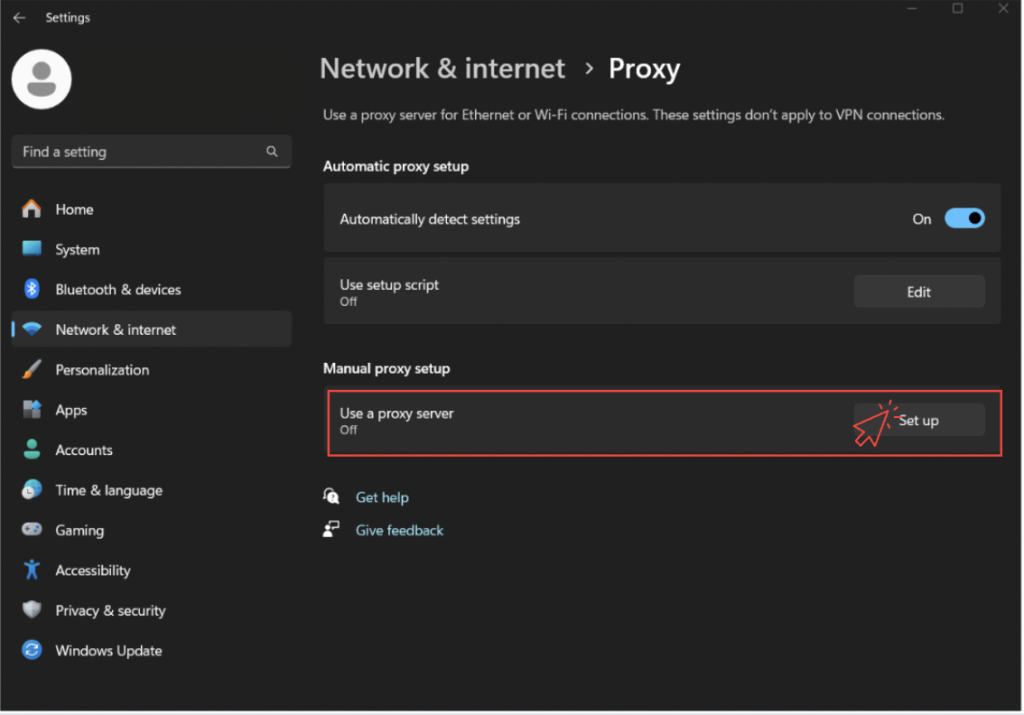
2) After copying the proxy details, open “Settings” on your computer, go to “Network & Internet”, select “Proxy”, then under “Manual proxy setup”, click “Set up” to paste the proxy and complete the configuration.
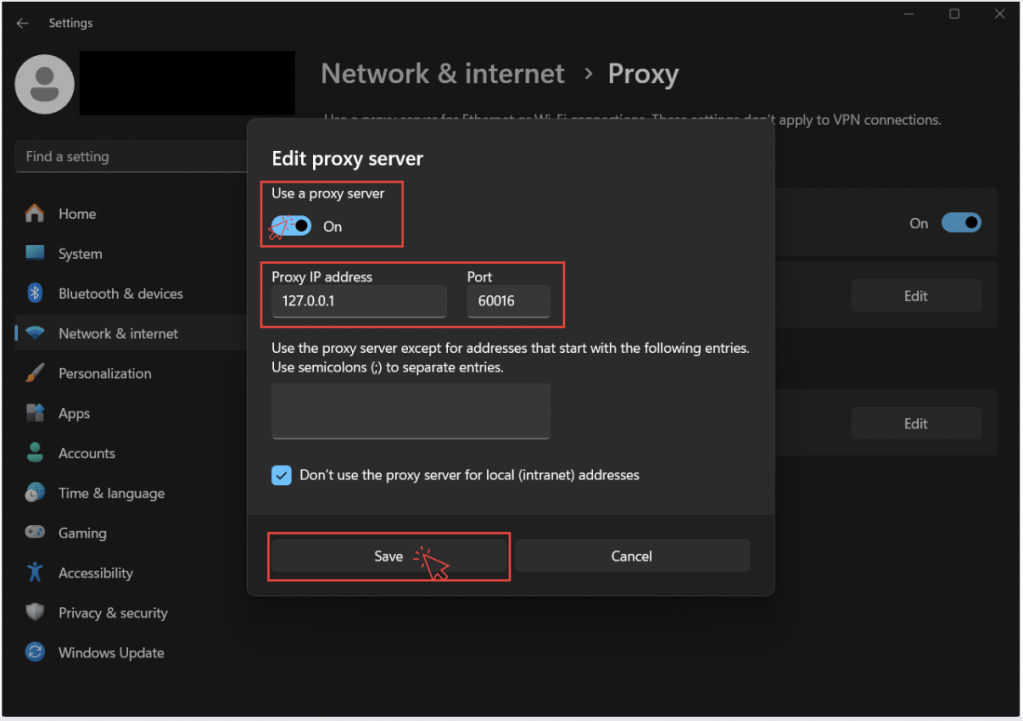
3) Turn on “Use a proxy server”, paste the proxy details you copied into the “Proxy IP address” and “Port” fields, then click “Save” to apply the settings.
4) Access YouTube and continue using the platform as usual.
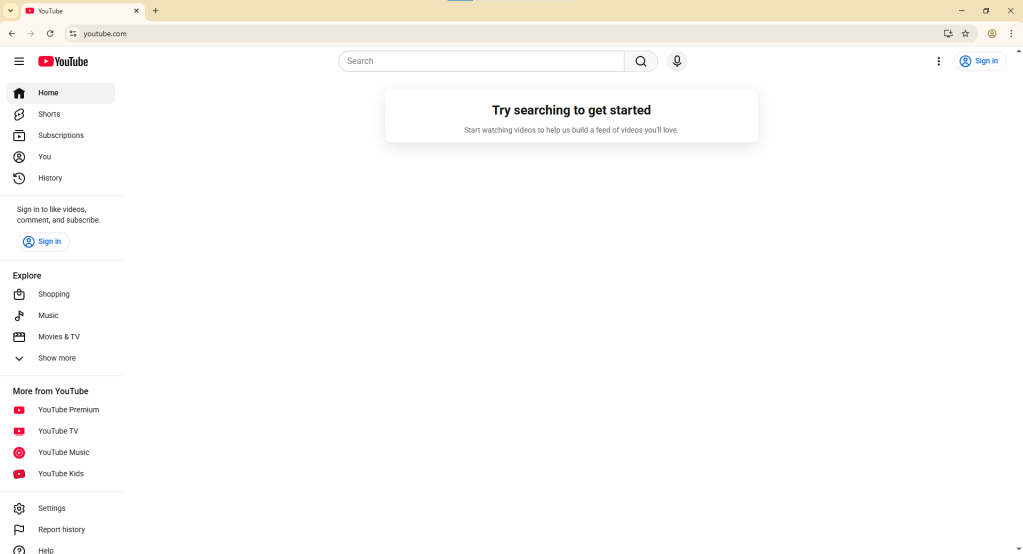
Method B: Browser Extension Setup
This is perfect if you only want to unblock YouTube in one browser while keeping other apps on your local connection.
- Select your desired server and port, then copy the address.
- Install an extension like “Proxy Switcher and Manager.”
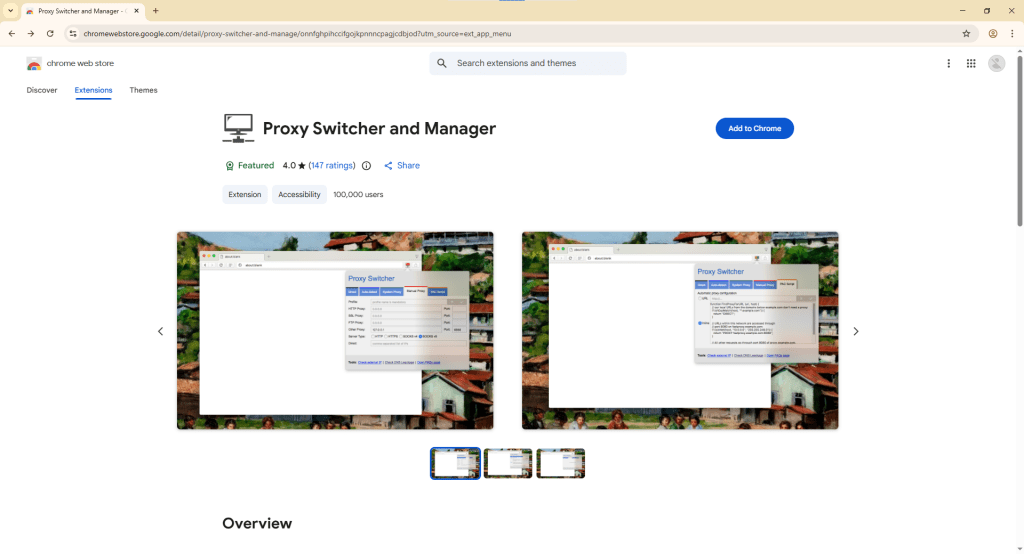
3) Open the extension, go to “Manual” setup, and input your proxy details. Click the Check or Save icon.
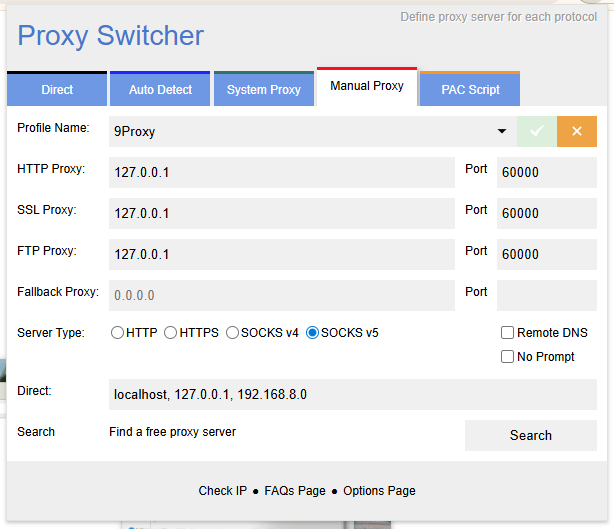
Once connected, YouTube will be fully accessible.
Why We Recommend 9Proxy for Unblocking YouTube
When testing ways to unblock YouTube in 2026, we compared several different proxy services to see which ones performed best for high-quality streaming.
While free tools work for short clips, they often struggle with longer videos or high-definition content. After testing five different providers, we chose 9Proxy for our own team’s use because of these simple factors:
- Unlimited Bandwidth: This is the most important feature for video. Many services cut you off after you use a certain amount of data, but 9Proxy lets you stream as much as you want. You don’t have to worry about the video stopping halfway through because you hit a data limit.
- Fast Loading Speeds: Most free unblockers limit your speed to save costs, which causes videos to stop and start. In our tests, 9Proxy was fast enough to play HD and 4K videos smoothly without constant pausing.
- Better Speed than VPNs: Sometimes, a VPN can make your internet slower because of the way it handles data. These proxies change your location more efficiently, so your videos load faster.
- A Consistent Connection: Free proxies often disconnect or change your IP address unexpectedly. 9Proxy stays connected, which is important if you are watching a long presentation, a livestream, or a playlist.
So if you need a reliable way to watch high-quality videos every day without worrying about data limits or lag, 9Proxy is the most consistent tool we have tested for getting around network blocks.
Safety and Best Practices: Staying Under the Radar
Bypassing a block usually violates “Acceptable Use Policies” at school or work. To stay safe:
- Use Incognito Mode: This ensures your browser history doesn’t save your session.
- Prioritize HTTPS: Always ensure the site you use starts with https:// to keep your data from being sniffed by IT.
- Avoid “Free” VPN Downloads: Many are actually malware. Stick to reputable web proxies or well-known paid services.
Conclusion:
Getting back to your favorite videos shouldn’t be a technical battle. Whether you are facing a school filter or a regional block, you now have the tools to regain your digital freedom.
The key is choosing the right method for your situation. Quick tricks like the Google Translate hack work for a one-time fix. However, for consistent, high-speed streaming without lag, a premium proxy is the most effective solution. We recommend 9Proxy for this purpose, as its stable connections and unlimited bandwidth make it the most reliable path for daily use.
Are you ready to experience YouTube without restrictions? Check out 9Proxy today to find a plan that fits your streaming needs.
Disclaimer: Network security is constantly evolving. While these methods are tested and reliable as of early 2026, we cannot guarantee that every method will work on every restricted network, as IT departments frequently update their firewalls.
If you are staring at a “Site Blocked” screen at school or work, you aren’t alone. Whether it is a strict network filter or a video not available in your country, being blocked from YouTube is a major frustration.
The good news? Digital filters are usually just fences, not brick walls. Here is exactly how to unblock YouTube using fast, safe, and easy methods.
Quick Fixes: No Installation Required
If you are using a computer where you cannot download software, like a school Chromebook or a shared workstation, these browser-based tricks are your best starting point.